Delete Tweets by Date Range
Clean up your Twitter timeline by removing tweets from specific time periods
 Start Delete Now
Why Remove Old Tweets?
Old tweets might contain views you no longer hold or information that's now irrelevant.
Your Twitter history is searchable - employers and others can find tweets from years ago.
Cleaning up specific date ranges helps maintain your current online image.
Some conversations or topics from the past might be better left there.
Managing your digital footprint is becoming increasingly important in today's connected world.
How It Works
Clean up your Twitter timeline in a few simple steps
- 1
Install our Chrome extension
- 2
Connect your Twitter account
- 3
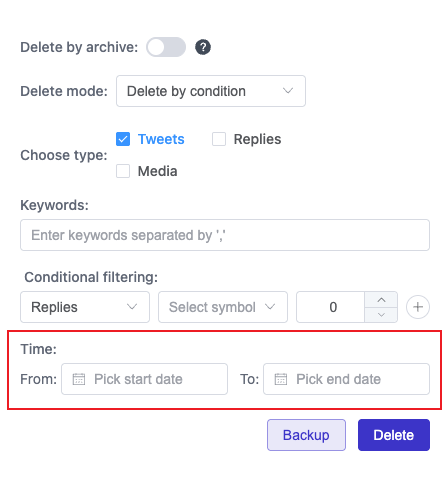
Go to the Date Range section
- 4
Pick your start and end dates
- 5
Add any filters if needed
- 6
Review the tweets that will be deletedTake a final look before they're gone
- 7
Click the delete button to start
- 8
Wait for the process to complete
- 9
Check the summary of deleted tweets
Date-Based Tweet Cleanup
Our tool lets you remove tweets from specific date ranges without affecting your newer content.
Select any time period - last month, a specific year, or custom dates - and clean up your timeline with just a few clicks.